The editor language
How the pedal and its editor talk over USB: reading and writing presets, the live edit buffer and the settings, checksums included. Checked against every reply of our unit.
Unofficial community project · M-VAVE MK-20
A web editor for the MK-20 that runs in your browser: plug in the USB cable, open the page, and see your presets, the effect chain and every knob on a big screen. From the makers of the Pocket Master, Smart Box and Amphonix 2 CFW, with the same look as their web app.
// status · in the lab Nothing to download or open yet. We are mapping how the editor talks to the pedal, on our own unit. This page will carry the first version.
Unofficial. Not affiliated with M-VAVE. Read the disclaimer.
From the makers of the first custom firmware for Sonicake pedals (Pocket Master CFW, since October 2026).
m-vave-cfw.guitar-training-generator.comm-vave-cfw.guitar-training-generator.com/app/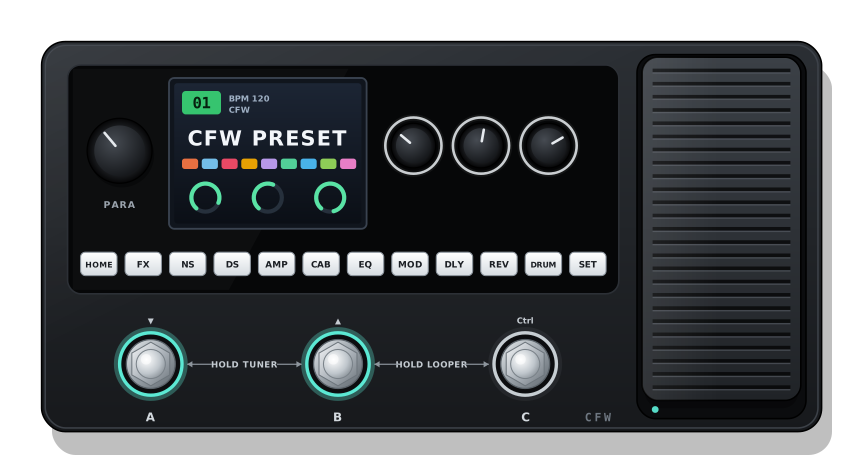
Illustrative drawing, not a photo, no logos.
// status
Groundwork on our own MK-20, official firmware V086. So far the tools only read from the pedal: nothing has been written to it.
How the pedal and its editor talk over USB: reading and writing presets, the live edit buffer and the settings, checksums included. Checked against every reply of our unit.
Name, volume, BPM, the order of the 10 modules, on / off, model and every knob. A full backup of the pedal (presets and settings) to a file.
40 drives, 120 amps (90 guitar, 30 bass) and 100 cabs, in the order the pedal stores them, plus the 3 EQs.
The names of the knobs, the order of the FX / gate / modulation / delay / reverb models and the CTRL and GLOB settings: we change one thing on the pedal and read what moved.
// roadmap
The plan, step by step. Every step that writes to the pedal is tested on our own unit first.
A custom firmware for the MK-20 itself is not planned for now: the first goal is the editor, on the official firmware.
Unofficial community project. The M-VAVE CFW project and its web editor are not affiliated with, authorised or endorsed by M-VAVE.
When the editor is out, it will write presets and settings to your pedal: back up first. It will be provided "as is", without warranty of any kind, and the author accepts no liability for damage to your device or loss of data.
M-VAVE, MK-20 and the other product names are trademarks of their respective owners and are used here only to describe compatibility.
// credits